Feature-rich solution for an impactful and interactive learning experience
End-to-end training solution for onboarding, training and development for employees
Share your knowledge with a feature-rich solution for an interactive learning experience
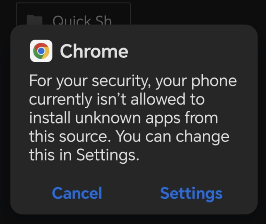
Go to Settings
Open your device Settings app
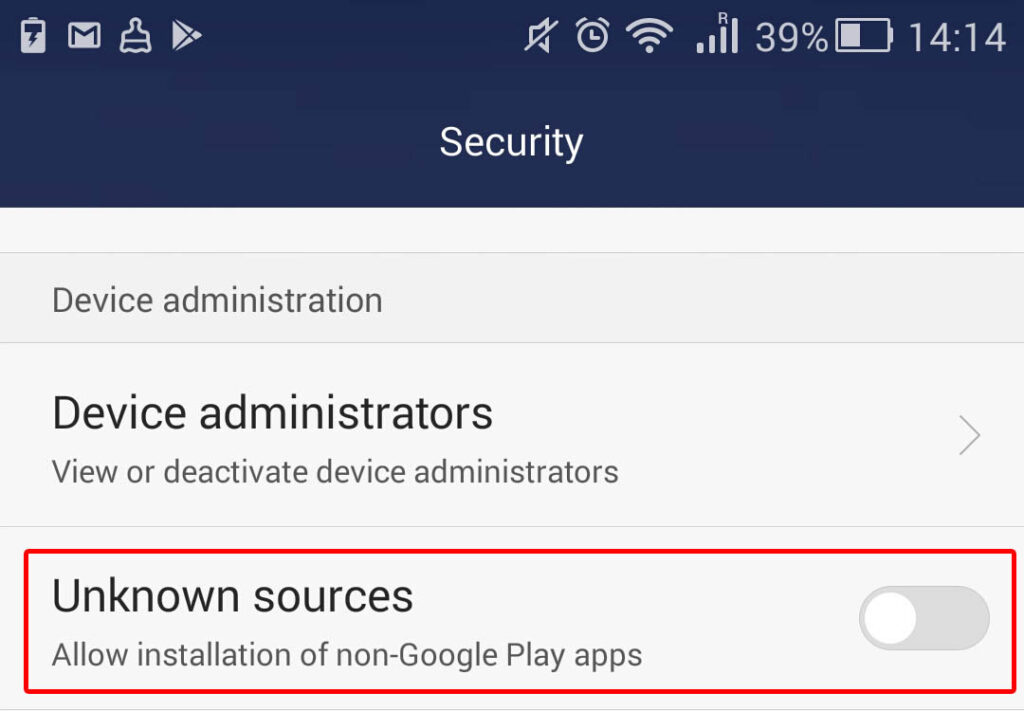
Navigate to Security
Enable Unknown Sources
Toggle on "Install unknown apps" or "Unknown sources". You can disable it after
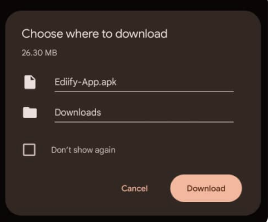
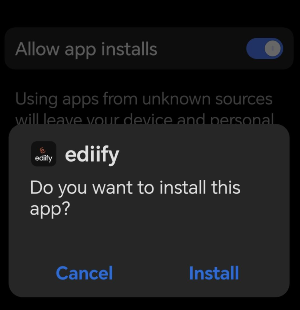
Open the downloaded APK file from your notifications or file manager, then tap “Install” to complete the installation.
Is it safe to enable unknown sources?
Yes. As long as you download apps from trusted sources like ediify.app. You can disable this setting after installation for added security.
Why is it not on the Play Store?
We are currently in the process of getting ediify listed on the Play Store. In the meantime, you can download it directly from our website.
Will I receive updates?
Yes. The app will notify you when updates are available, and you can download them directly inside the app.
This website stores cookies on your computer. By continuing the use of the websiteyou consent to the use of cookies as described in our Cookie Policy.